

Appearance
Bonuses
Everything a player can receive in Rewards is a bonus first.
Not "a bonus, or a free spin, or some coins, or a wheel spin". One object, one place to build it, one place to change it. Bonus funds are a bonus. Free spins are a bonus. Virtual currency is a bonus. A spin on a mini game is a bonus. Even a Challenge — the task itself — is a bonus. You create it once under Rewards → Bonuses & Challenges, and then you point things at it.
That is the concept that organises the whole product, and it is worth getting straight before you build anything, because it explains an ordering rule you will hit within your first hour: the bonus has to exist before the thing that gives it away can be saved.
Everything points at a bonus
A bonus does not decide who gets it or when. It only describes what the player receives. Something else has to hand it out, and every one of those things works the same way — it holds a reference to a bonus you have already built.
| What hands it out | How the bonus is attached |
|---|---|
| A CRM Activity or Lifecycle | The Credit Reward action, targeted at your segment |
| A Challenge | The bonus released when the player completes it |
| A Mini Game | The prize sitting on a winning position |
| A Promotional Calendar | What is behind a door |
| A Shop Item | What the player buys with virtual currency |
| Levels & Progression | What a player gets for reaching a level |
| A Tournament | A prize on the prize ladder |
| A CRM user, by hand | Credit bonus on the player's profile |
So a bonus with nothing pointing at it is inert — correctly configured and never given to anybody. And a bonus that several campaigns point at is one object: edit it and you have edited all of them, from now on.
Build the bonus first
A Mini Game cannot be saved until every position has a bonus on it. A Challenge cannot be saved until you have picked the bonus it releases. Players cannot buy a Shop Item until it awards a bonus. If you are building any of those, go and create the bonuses they pay out before you start.
The two layers
A bonus is thinner than people expect, and this catches people out when they go looking for a field.
The bonus itself is almost nothing: a name, a type, and whether it is enabled. The name is internal — it is what you and your colleagues see in dropdowns and reports, never the player.
The variations hold everything else. A variation is the bonus's actual configuration for one origin (one of your sites or skins) and one communication profile (typically a language or market — both are defined in How it fits together). It carries both halves of the bonus:
- what the player sees — title, image, call-to-action text, description, terms;
- what it pays and for how long — the amount, the currency, the promo code, the token count, the expiry.
Every bonus has a Default variation, and it must exist before you can add any others. If you never add another one, the Default is what every player gets. Add more when a market needs different copy — or a different amount.
This is why the payout is per-variation and not global: unlike a Mini Game, where the odds are shared and only the presentation is localised, a bonus can pay a different amount in different markets. Same bonus, same campaign, €10 in one profile and 100 kr in another. See Variations by market for how Rewards picks which one a given player gets.
The types
The type is fixed when you create the bonus and decides what the bonus can pay. It also decides something more important: whether Fast Track credits the player itself, or hands the job to your platform.
| Type | What it pays | Who credits it |
|---|---|---|
| Generic | Anything your platform understands — a promo code, free spins, an operator bonus id, a player role | Your platform |
| Funds | Bonus funds on the player's account | Your platform |
| Virtual Currency | An amount of one of your virtual currencies, into the player's Rewards wallet | Rewards |
| Mini Game | Tokens — plays — on one specific wheel or Pick & Win | Rewards |
| Challenge | The Challenge itself; claiming it starts the task | Rewards |
| Tournament Points | Points on one tournament's leaderboard. This type is being rolled out to some brands | Rewards |
The right-hand column is the one to internalise. Virtual Currency, Mini Game, Challenge and Tournament Points bonuses work the moment you save them, because Rewards owns the wallet, the tokens, the challenge state and the leaderboards — though a Tournament Points claim only goes through while its tournament is running and the player is in it. Generic and Funds bonuses are only as good as your platform integration — Rewards forwards the fields you configured and reports back what your platform said. Bonus types covers each one in full, including where free spins actually live.
What the section is called
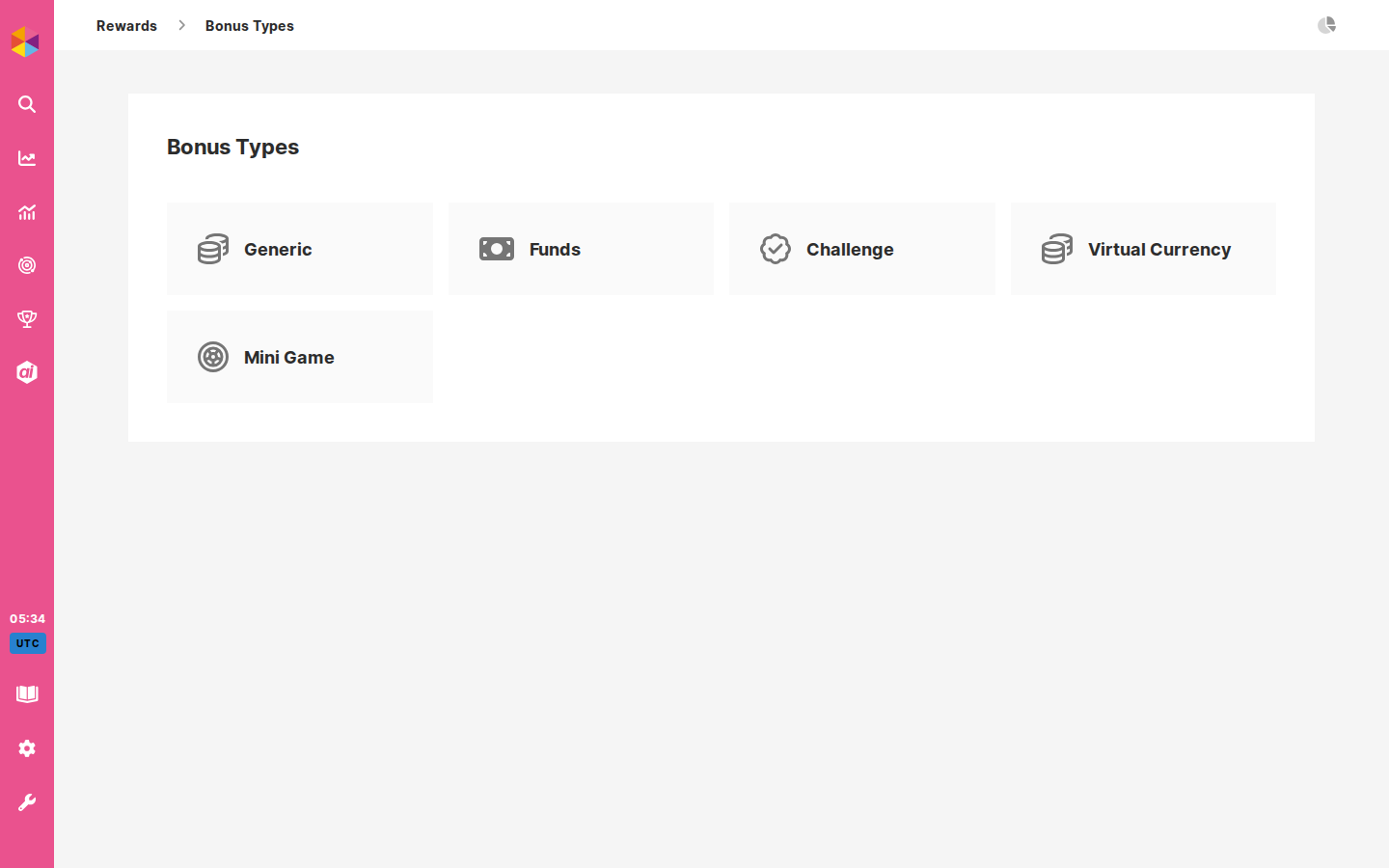
The menu entry is Bonuses & Challenges and the landing page is headed Bonus Types — a grid of cards, one per type, and you pick the type before you create anything. Older accounts show the same entry as Bonuses. In the older bonus picker, the Mini Game bonus group is still labelled Wheel.
What a player actually holds
When a bonus is awarded, the player does not get a link to your bonus. They get a copy of it — the resolved title, image and payout configuration, frozen at the moment of the award, with an expiry stamped on it.
Two consequences follow, and both come up constantly in support:
- Editing a bonus never changes bonuses players are already holding. Fix a typo in the title and every player who was awarded it yesterday still sees the typo. Your edit applies to awards from now on.
- The clock starts at the award, not at the claim. A seven-day bonus awarded on Monday expires on Monday, whether the player opened the app or not.
The player then claims the bonus, and the claim is the moment the payout happens — the funds call goes out, the coins land, the tokens appear, the challenge starts. Or you set the bonus to claim itself, and the player never sees a button. Claiming a bonus covers both.
Where to next
| If you want to | Read |
|---|---|
| Choose the right type, and know who credits it | Bonus types |
| Build one, field by field | Creating a bonus |
| Set how long it lasts, and avoid the expiry traps | Expiry and validity |
| Understand claiming, auto-claim and failed payouts | Claiming a bonus |
| Run one bonus across several markets | Variations by market |
| Disable, archive, clone or retire a bonus | Managing bonuses |