

Appearance
Challenges
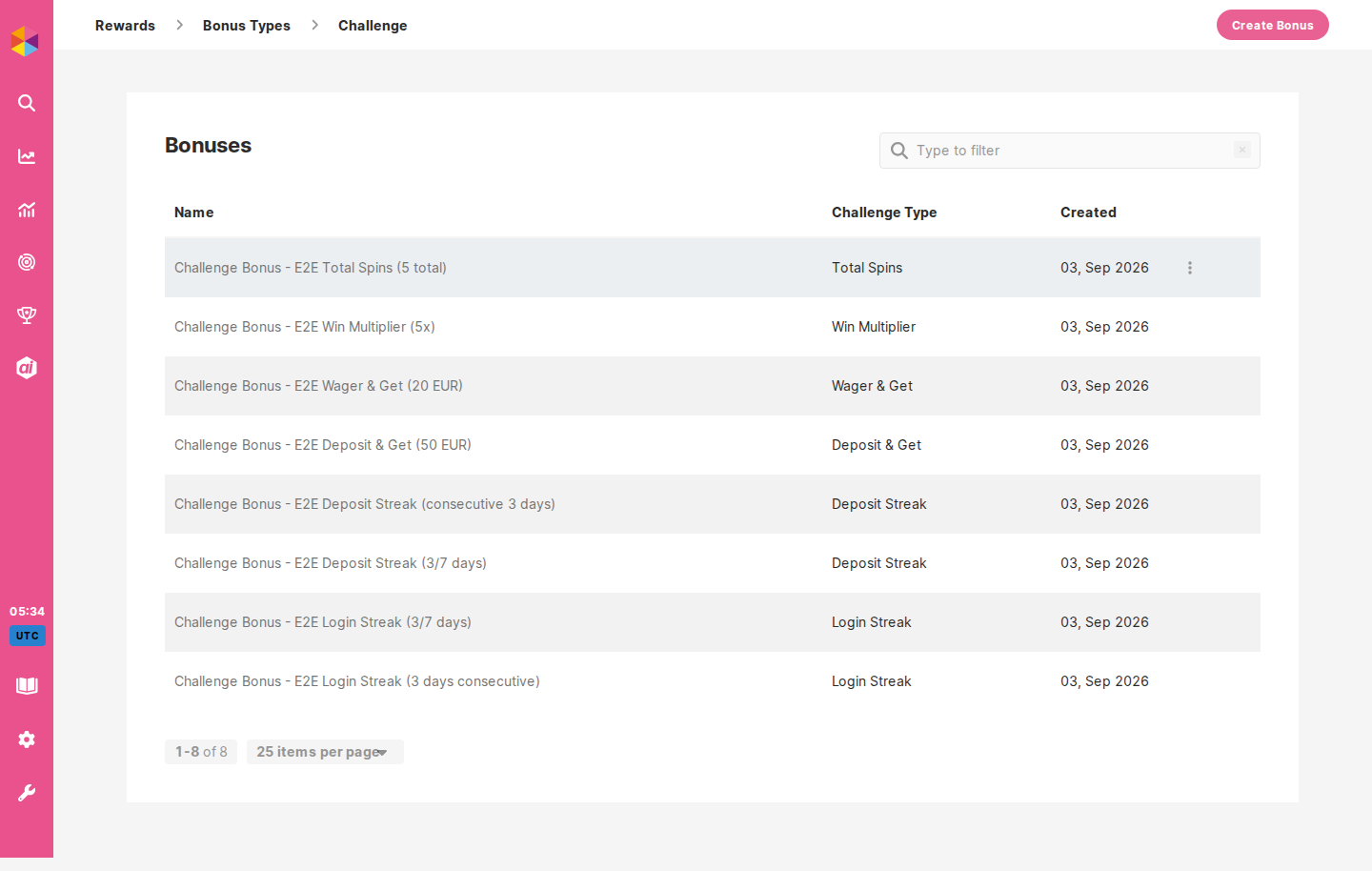
A Challenge is a task with a goal. Wager €100. Log in seven days running. Deposit every day for a week. When the player finishes it, the challenge pays out one or more bonuses.
That is the whole idea, and it is why challenges are the most useful thing in Rewards for changing behaviour rather than only rewarding it. A free spin rewards a player for something they already did. A challenge tells them what to do next, shows them how far along they are, and pays when they get there.
This guide is written for CRM and campaign managers. It covers what the seven challenge types count, how to build one, why progress stops when you did not expect it to, and what to check when a player says their bar is not moving.
A challenge is a bonus
This is the first thing to get straight, because everything else follows from it.
Structurally, a challenge is a bonus of type Challenge. You do not build it in a "Challenges" area — you build it under Rewards → Bonuses & Challenges, create a new bonus, and pick Challenge as the type. The challenge's task, target, filters and reward all live inside that bonus.
It is counter-intuitive, and it is load-bearing:
- You find it under Bonuses. If you are looking for where to build a challenge, that is where it is.
- It is distributed like any other bonus. A CRM Credit Reward action, a Shop Item, a Mini Game prize, a Promotional Calendar door, a level-up — anything that can hand out a bonus can hand out a challenge.
- Claiming the bonus starts the challenge. Until the player claims it, they hold an unclaimed bonus, not a challenge. Nothing is being counted yet.
- The reward is also a bonus. A challenge never invents a reward of its own. It points at bonuses you have already built, exactly as a Mini Game position does.
So a single campaign involves at least two bonuses: the Challenge bonus that carries the task, and the reward bonus (or bonuses) it pays on completion. Build the reward bonuses first — you cannot finish a challenge's settings without one to point at.
The Challenges page is not where you build challenges
There is a bare Challenges list page in the CRM, reachable from links such as Go to Challenges on a player's Challenges tab. It shows challenge templates — the fixed catalogue of types — and it is not the place to author a campaign. Everything an operator configures lives inside a Challenge bonus.
Progress is never retroactive
Of everything on this site, this is the sentence most worth remembering.
A challenge only counts activity from the moment it reached that player. Any event whose timestamp is earlier than the player's challenge is discarded, with the skip reason event outside challenge time window.
A "wager €100" challenge credited on Thursday afternoon does not look at Thursday morning's play. A player who wagered €500 last week and then receives the challenge starts at zero. This is not a bug or a lag — the challenge has no history of that player.
The consequences are worth planning around:
- Never promise a reward for activity that has already happened. If a segment qualified because they wagered €100 last month, a wager challenge will ask them to do it again.
- Get the challenge to the player before the behaviour you want to measure. Not during it, and not after.
- Auto-claim closes the gap. A challenge sitting unclaimed in a player's list is counting nothing. Turning on Auto-Claim Challenge starts it at the moment it is credited, rather than whenever the player next opens their rewards.
How progress works covers this and every other reason progress legitimately stops.
The lifecycle
A challenge has no status field. Its state is worked out from two dates: when it completed, and when it expires.
| State | What it means | How it is reached |
|---|---|---|
| Active | Not completed, and not past its expiry. This covers both "untouched" and "half done" — a challenge with progress on it is still Active | The player claims the Challenge bonus, or an Activity credits the challenge directly |
| Completed | The target was reached. The reward bonuses have been created | Progress reaches the target. Automatic, inside a single transaction |
| Expired | Not completed, and past its expiry | Wall clock passes the expiry, or an admin expires it |
Two things about that table catch people out.
"In progress" is not a state. The player-facing copy and the player's Challenges tab talk about challenges being in progress, and that reads like a third status. It is not — it is an Active challenge with a non-zero progress value. Nothing in the product distinguishes the two, and nothing behaves differently.
Expiry is lazy. No job flips a challenge to Expired at the stroke of midnight. It stops matching as Active and stops accepting events. Its progress value is left exactly where it was, which is useful when you are diagnosing what happened but does mean a stale-looking row is normal.
Expiring part-finished pays nothing. There are no partial payouts. A player at 90 of 100 when the clock runs out gets nothing at all. See Rewards on completion.
From campaign to completed challenge
This is the full chain. It has more links than it looks like it should, and most launch failures are a missing link rather than a wrong setting.
| Who | Step | |
|---|---|---|
| 1 | You, in Rewards | Create the reward bonuses. Bonus funds, free spins, virtual currency, Mini Game tokens — whatever the challenge should pay. These must exist first. |
| 2 | You, in Rewards | Create a Challenge bonus. Pick the Challenge Type, fill in the requirement fields (target, contributing games, timezone), and point Select Bonus to be released at the rewards from step 1. |
| 3 | You, in the CRM | Award it from a campaign. Add a Credit Reward action to an Activity or Lifecycle and pick the reward type Challenge. |
| 4 | Player | Claims the bonus — and only now does the challenge exist. The player's challenge row is created, its expiry is calculated, and the configuration is snapshotted. Progress starts counting from this moment. |
| 5 | Player | Plays, deposits or logs in. Every qualifying event moves progress, within a second or two, and pushes an update to the player's screen. |
| 6 | Rewards | Target reached — the challenge completes. In one transaction it is marked complete and the reward bonuses are created. |
| 7 | Player | Receives the rewards. Each reward bonus follows its own auto-claim setting, unless the challenge forces them all to be claimed automatically. |
The two most common launch failures
The campaign that sends the message but forgets the Credit Reward action. Players are told about a challenge they do not have. Confirm the action is attached before you schedule.
The challenge nobody claims. A Challenge bonus that requires a manual claim counts nothing until the player opens their rewards and taps it. If your challenge is time-boxed to a weekend, turn on Auto-Claim Challenge or you will measure claim rates instead of behaviour.
What a challenge cannot do
Stated plainly, so you can design around it rather than discovering it late:
- No payout for an unfinished target. A Challenge that expires short of its target does not pay its completion reward. To pay along the way, add milestones, which are being rolled out to some brands.
- No second task. A Challenge has one task and one target. Several tasks in one offer is a Quest, also being rolled out.
- No retroactive progress. Covered above.
- No editing in flight. Changing a live challenge does not touch challenges players already hold — the configuration is snapshotted when it is credited. Your edit applies to future credits only.
- The challenge type is fixed once saved. The CRM tells you so: “Challenge type cannot be changed after being saved”. To change type, build a new Challenge bonus.
Where to next
| If you want to | Read |
|---|---|
| Choose a type | Challenge types |
| Build one, field by field | Building a challenge |
| Understand streaks, timezones and why progress stalls | How progress works |
| Know what a challenge can pay, and how ladders work | Rewards on completion |
| Pay rewards before the target is reached | Milestones |
| Put several tasks in one offer | Quests |
| Fire a campaign when a player starts or finishes a challenge | Triggering an Activity from a reward |
| Diagnose a player whose bar is stuck | Why a challenge is not progressing |