

Appearance
Building a challenge
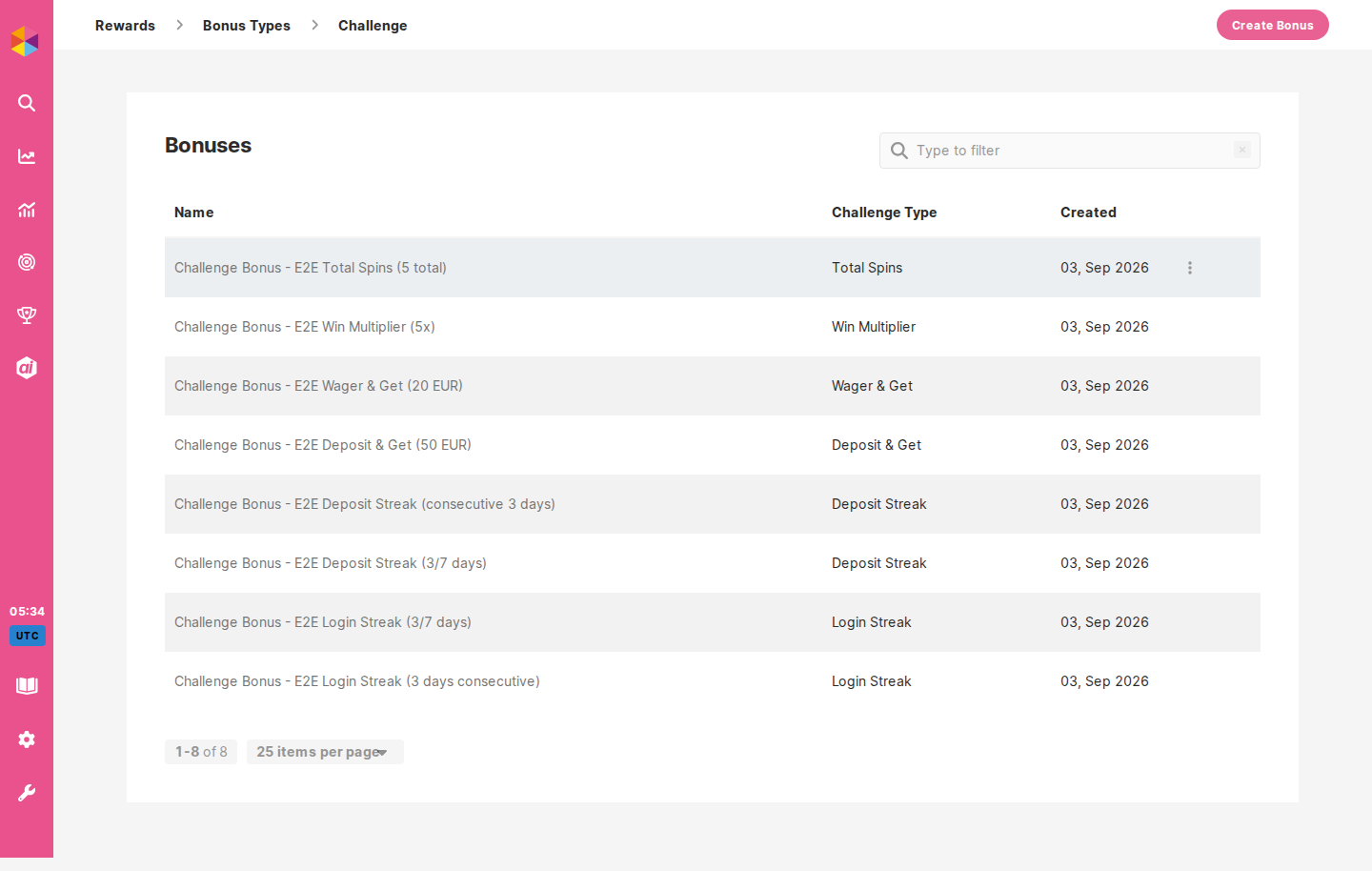
A challenge is built as a bonus. Everything below happens in one bonus edit screen under Rewards → Bonuses & Challenges, and the sections you see depend on the challenge type you pick.
Before you start
Three things need to be true, in this order:
- The reward bonuses exist and are enabled. Every challenge type requires at least one bonus to release on completion. Build and enable those first, under the same Bonuses area. Select Bonus to be released only offers enabled bonuses that have at least one variation, and the save refuses a newly added reward that is disabled, archived or cannot be credited.
- You know your type. Challenge Type is immutable once saved. Read Challenge types if you are choosing between Wager & Get and Total Spins, or between the three Deposit Streak models.
Step by step
- Create the bonus. Under Rewards → Bonuses & Challenges, start a new bonus and choose the type Challenge.
- Fill in Bonus Details. Bonus Name is required and is internal — it is what you will search for in Rewards Explorer, not what the player reads. Add Labels if you intend to surface the challenge in a Custom Page section. Enable Bonus is the on switch; a disabled bonus cannot be credited.
- Pick the Challenge Type. The dropdown reads “Select challenge type”, with the note “Challenge type cannot be changed after being saved” next to it. Choosing a type is what makes the requirement section appear.
- Write the pre-claim appearance. Challenge Appearance (Before Claim) is what the player sees while the challenge is an unclaimed offer: Title (required), Description, Call to Action (required, placeholder “Add button text”), an image, and the terms.
- Fill in the requirement settings. This is the section named after your type — Wager Settings, Total Spins Settings, Login Streak Settings, Deposit Settings, Win Multiplier Settings, or the three Sports sections. Point Select Bonus to be released at the reward, set the target, and add any filters.
- Write the active appearance. Challenge Appearance (Active) is what the player sees once they have claimed it and the challenge is running: Title, Description and an image (all required), the CTA, and Challenge Terms and Conditions.
- Set the expiry. This is where challenges are most often got wrong. Read Expiry below before you touch it.
- Set the automation. Auto-Claim Challenge starts the challenge the moment it is credited instead of waiting for the player. Auto-Claim Released Bonus forces the rewards to be claimed automatically too.
- Save. If Save is greyed out, a required field is empty somewhere — including in a section you have collapsed. A changed name can be saved before the form is complete, but that does not save the Challenge settings. Check the confirmation and finish the required fields before saving again.
Bonus Details
| Field | Required | Notes |
|---|---|---|
| Bonus Name | Yes | Internal. Empty names are rejected |
| Labels | No | Placeholder “Select labels...”. Used to filter which challenges appear in a Custom Page section |
| Enable Bonus | No | Off by default |
| Challenge Type | Yes | Placeholder “Select challenge type”. Cannot be changed after saving |
Challenge type is locked harder than it looks
The rule is enforced on the whole bonus, not only the screen. If a save tries to change it, or two variations of the same bonus disagree, it is refused:
challenge type cannot be changed after creation; existing challenge type ID is X but received Y
all variations must use the same challenge type; found different challenge IDs: X and Y
Every variation of a Challenge bonus must be the same type. You can localise the title, the image and the copy per market; you cannot make it a wager challenge in one market and a login streak in another.
Appearance — two sections, not one
A Challenge bonus has two appearance sections because a challenge is seen at two different moments.
| Section | When the player sees it | Fields |
|---|---|---|
| Challenge Appearance (Before Claim) | While it is still an unclaimed offer | Title (required), Description, Call to Action (required), Enable URL redirect + URL, Open URL in new tab, Optional Close CTA, Bonus Terms and Conditions, image |
| Challenge Appearance (Active) | Once claimed, while the challenge is running | Title (required), Description (required), image (required), Enable Call to Action, Call to Action (required when enabled), URL, Open URL in new tab, Challenge Terms and Conditions, Set Challenge Validity |
Enable URL redirect and Enable Call to Action are the same underlying setting with two different labels. Both point the button at a URL. An invalid URL is rejected with Must be a valid full URL format to open in a new tab.
Terms behave the same way in both sections. “Select how bonus terms are displayed” offers Before CTA, After CTA and Hide terms, and you can choose to take the text from the bonus, write custom terms, or show nothing.
Older per-state titles no longer do anything
Challenge configurations used to carry separate titles and buttons for each state — available, in progress, completion pending. Those fields still exist in the data and are always empty. One title and one CTA now cover every state. If you inherit a configuration with per-state copy in it, that copy is not being shown.
Shared requirement settings
These appear on more than one type. Which ones you get depends on the type — see the table in Challenge types.
| Setting | Applies to | What it does |
|---|---|---|
| Select Bonus to be released | All types | The reward. Required on every type. See Rewards on completion |
| Contributing Games | Wager & Get, Total Spins, Win Multiplier | “Games, providers or game list that are included in the challenge”. Buttons: Add contributing games / Add excluded games. Leave both empty to count every game |
| Minimum Bet | Wager & Get, Total Spins, Win Multiplier | A floor on each individual bet. Bets below it contribute nothing, rather than contributing partially |
| Contribution Types | Wager & Get, Total Spins, Win Multiplier, Sports | Which slice of the stake counts: Real Money + Bonus Money (the default), Real Money Only, and for Sports also Bonus Money Only |
| Allowed currencies | Wager & Get, Sports, Deposit & Get, Deposit Streak | A currency allowlist. Placeholder “Select one or multiple Currencies”. Empty means every currency. On Wager & Get and the two deposit types it is being rolled out to some brands |
| Allowed payment providers | Deposit & Get, Deposit Streak | Counts only deposits made with these providers. Placeholder “Select one or multiple payment providers”, or tick Use free text to type them. Being rolled out to some brands. See Challenge types |
| Select Challenge Timezone | Login Streak, Deposit Streak | The timezone the calendar day is computed in: “The timezone used to determine daily logins for this challenge.” Required |
Contribution Types is the single most common cause of a dead challenge
Anything other than Real Money + Bonus Money requires the incoming event to state the real-versus-bonus split explicitly. Where an event source does not carry that split, a restrictive setting denies every bet with wrong_money_type and the challenge never moves.
Combined with Minimum Bet, it gets sharper still: the minimum is applied to the slice, not the stake. "Minimum €10, bonus money only" means €10 of bonus money — a €10 bet made of €9.50 real and €0.50 bonus does not qualify. How progress works explains why, with the cases that cannot work at all.
Required fields by type
Every type needs Select Bonus to be released. On top of that:
| Type | Also required |
|---|---|
| Wager & Get | Wagering Required |
| Total Spins | Number of Bets Required, Progress Model (win, bet) |
| Win Multiplier | Win multiplier required |
| Deposit & Get | Total deposit amount required |
| Deposit Streak | Number of deposits required, Minimum deposit amount required, Progress Model, Select Challenge Timezone |
| Login Streak | Number of daily unique logins required, Progress Model, Select Challenge Timezone |
| Sports | The target for your Progress Type, and the fields your Scoring Mode needs |
The real error messages
This is a lookup list, not something to read through. If a save is refused and the message means nothing to you, find it here. The wording is reproduced exactly as Rewards returns it, including the field names, which is what makes it searchable — those names are how the system refers to the settings, not what the form calls them.
Two different error styles, and why you see one or the other
Most of the time the CRM stops you first: Save greys out, or you get the toast Required fields missing with Not all required fields have been populated. The messages below come from further in — typically when a rule the form does not check is broken, or when the bonus was built through the API. The CRM shows only Could not save bonus or Could not update bonus, without the detail. The detail is what the API returns, so you read it when a bonus is saved through the API, or when Fast Track looks up a refused save for you. It is far more specific about which field is wrong. Most messages are prefixed with the task, counting from 0, so the first task reads challenge task 0: .
On any type:
bonus_ids cannot be empty— no reward selectedchallenge task 0 must have either a valid bonus_id or valid bonus_ids,challenge task 0: bonus_ids is required— the same problem, from the per-task checkschallenge task 0 pays bonus 99, which is disabled; enable it first or choose an enabled bonus— a reward you added is not enabled. The same message endsis archived; restore it or choose another bonus,does not exist; use the id of an existing bonusorcannot be credited: …for the other cases. When the save is for a variation, the message starts with it, such asaction 45 (origin -1, communication profile -1):appearanceConfig.title_available is required,appearanceConfig.popup_body is required,appearanceConfig.challenge_image_url is required— the active Title, Description or image is missingminimum_bet must be in format CURRENCY|AMOUNT (e.g. EUR|10),minimum_bet currency cannot be empty (e.g. EUR|10),minimum_bet amount must be a valid number,minimum_bet amount cannot be negativemoney_type must be one of real_and_bonus, real, bonus— an unrecognised Contribution Types value
Wager & Get:
wagering_requirement is required for wager challengeswagering_requirement must be in format CURRENCY|AMOUNT (e.g. EUR|10)wagering_requirement amount must be greater than 0
Total Spins:
number_of_bets_required is required for casino_count challenges,number_of_bets_required must be greater than 0progress_model is required for casino_count challengesminimum_bet on win-progress casino count requires FT game rounds, which are not enabled for this environmentmoney_type on win-progress casino count requires FT game rounds, which are not enabled for this environment
Win Multiplier:
win_multiplier_required is required for big_win_multiplier challengeswin_multiplier_required must be a valid number,win_multiplier_required must be greater than 0
Deposit & Get:
deposit_amount_required is required for deposit challengesdeposit_amount_required must be a non-empty string in format CURRENCY|AMOUNTdeposit_amount_required amount must be greater than 0
Deposit Streak:
amount_of_consecutive_deposits_required is required,amount_of_consecutive_deposits_required must be greater than 0minimum_amount_required is required for consecutive_deposits challengesprogress model is requiredchallenge_timezone is required for consecutive_deposits challenges
Login Streak:
number_of_days_required is required for consecutive_login challenges,number_of_days_required must be greater than 0challenge timezone is required
Sports:
bonus_ids is required,bonus_ids must have at least 1 itemspoints_per_win must be > 0 when scoring_mode=fixedpoints_per_unit must be > 0 when scoring_mode=by_odds,scaling_unit must be > 0 when scoring_mode=by_oddstarget_count is not valid for progress_type=win_amount; use target_points insteadtarget_points is not valid for progress_type=win_count; use target_count insteadallowed_bet_types cannot include 'system' when scoring_mode=by_odds; system bets have no meaningful total oddstarget_points must be a number (e.g. "100" or "12.5"), or empty for no target,target_points cannot be negative; use a positive number, or 0 or empty for no target (completes on the first qualifying win)target_count must be a whole number (e.g. 3), or empty for no target,target_count cannot be negative; use a positive number, or 0 or empty for no target (completes on the first qualifying win)
These are checked when you save. Each arrives prefixed with challenge task N:, where N counts from 0, so the first task reads challenge task 0:.
Expiry: three settings that interact
A challenge has two clocks: the bonus's expiry, which bounds how long the offer is claimable, and the challenge's own validity, which bounds how long the player has to finish it once they start. Three settings decide how the two relate, and they are the most confusing part of building a challenge.
| Setting | Where | What it does |
|---|---|---|
| Set Challenge Validity | Challenge Appearance (Active) | How long the challenge lives once the player claims it. This is the one you want most of the time |
| Base challenge expiry on | The bonus's expiry section | Bonus Crediting counts the challenge validity from when the bonus was created. Bonus Claiming counts it from when the player claimed it — the default behaviour |
| Inherit Expiration | The bonus's expiry section | The challenge expires at exactly the same moment as the granting bonus, whenever that is. Overrides the other two |
The validity itself is set like any other bonus expiry — no expiry, a time period, a daily time or, where it has been rolled out, a weekly time. As on the bonus, there is no Date and Time mode. Daily Time and Weekly Time are only offered for Set Challenge Validity while Base challenge expiry on is Bonus Claiming; switching to Bonus Crediting resets them to No Expiration. The one value to know here: an empty validity, or -1, means the challenge never expires. 0 is explicitly rejected:
validity value "0" is not allowed; use "-1" or empty string for no expiry
invalid validity unit "week" in "2#week"; allowed units: minutes, hours, days, months
See the Bonuses section's expiry and validity page for the full grammar, the Time Period and Daily Time modes, and the “Days and months are based on System Time (UTC+0).” caveat.
The six rules the save enforces
These are cross-field rules, which is why they only surface when you save.
| Rule | Message |
|---|---|
| Basing expiry on bonus crediting needs a challenge validity — without one there is nothing to count | expiry_relative_to_bonus_creation requires a validity to be set on the challenge; without it the setting has no effect |
| Basing expiry on bonus crediting needs the bonus itself to expire | expiry_relative_to_bonus_creation requires the bonus to have a validity_amount set; without a bonus expiry the challenge could be claimed after its expiry has already passed |
| The challenge validity cannot be shorter than the bonus validity in that mode | challenge validity (7#days) cannot be shorter than bonus validity (14#days) when expiry_relative_to_bonus_creation is enabled; the challenge would expire before the bonus can be claimed |
| Inherit Expiration takes precedence — the crediting-versus-claiming rules are not even checked | (no message; the setting wins) |
| Inherit Expiration cannot be combined with a challenge validity | inherit_bonus_expiry cannot be combined with validity; remove the validity setting when using inherit_bonus_expiry |
| Inherit Expiration needs the bonus to have an expiry to inherit | inherit_bonus_expiry requires the bonus to have a validity_amount set; the challenge cannot inherit expiry from a bonus that never expires |
A challenge can be skipped on claim with no error at all
The rules above exist to make this unlikely, but they cannot catch everything. If the challenge's computed expiry has already passed at the moment the player claims — because you based it on bonus crediting, or inherited the bonus's expiry, and the player claimed late — then the bonus is marked as claimed and no challenge is created. There is no error and nothing on screen. The only trace is an audit event recording that it was skipped because the expiry had passed.
This is the failure mode to look for when a player insists they claimed something and it never appeared. It is also the reason to prefer plain Set Challenge Validity with Bonus Claiming: the clock starts when the player starts, so it cannot have run out before they began.
The editor checks two combinations itself. With Base challenge expiry on set to Bonus Crediting, a challenge validity shorter than the bonus's gets The Challenge validity should exceed the Bonus validity. With Bonus Claiming the two are not compared, because the challenge's clock only starts when the player claims. A streak challenge whose validity is shorter than the number of days it requires gets Warning: Challenge validity is shorter than required number of days. Despite the wording, both keep Save disabled until you fix them.
A bonus expiry on its own never ends the challenge. It only limits how long the offer can be claimed. Without Inherit Expiration or a Set Challenge Validity, the player's challenge has no end, and the editor says so under Set Expiration: “Players' challenges from this bonus will never expire. To give them an expiry, turn on Inherit Expiration or set a Challenge Validity.” With Auto-Claim Challenge on, the editor adds that the bonus expiry has no practical effect, because the challenge is claimed the moment it is credited.
Automation settings
| Setting | Default | What it does |
|---|---|---|
| Auto-Claim Challenge | Off | “Challenge is immediately activated on credit to player”. The challenge starts as soon as it is credited, without the player doing anything |
| Auto-Claim Released Bonus | Off | “Bonuses are immediately claimed directly upon completing the Challenge. This overrides each Bonus own auto-claim setting.” |
Auto-Claim Challenge is the setting most campaigns want on, for the reason covered in Challenges: an unclaimed challenge counts nothing. Leave it off only when the act of claiming is deliberately part of the experience.
Auto-Claim Released Bonus is about the payout rather than the start. It is covered in Rewards on completion.
Paying before the target
Milestones Configuration sits below the settings for your Challenge type. It adds checkpoints before the target that credit bonuses and fire a CRM trigger. The editor is being rolled out to some brands. Milestones covers it in full.
Letting players cancel a Challenge
Player Opt-out, under Challenge Appearance (Active), lets players give up an unfinished Challenge. It is off by default and is being rolled out to some brands. It needs a compatible player panel. The setting is copied when the Challenge is credited, so switching it on does not add a cancel option to Challenges players already hold.
The player confirms that progress and the reward will be lost. Yes, give up ends the Challenge; Cancel keeps it. Completed Challenges cannot be cancelled. A successful cancellation removes it from the active list. If it finished or became unavailable before confirmation, the player sees This challenge is no longer available. Other failures show Could not cancel the challenge, please try again. and leave the confirmation open so the player can retry.
Hiding a Challenge from players
Hide from players, in the Hidden challenge box below Challenge Type, runs a Challenge the player never sees. It is being rolled out to some brands. The editor describes it: “When checked, players never see this challenge, but it still tracks progress and pays out its reward.”
- It is always auto-claimed. Nobody sees the offer, so nobody could claim it. Ticking the box switches on Auto-Claim Challenge and locks it, and terms acceptance cannot be required. Appearance settings become optional.
- The player sees only what it pays. The Challenge stays out of their rewards list, and milestones on it show no toast. The reward bonuses it releases appear as normal.
- It does not count toward one active Challenge per type. A hidden Challenge neither blocks a visible one of its type nor waits behind one.
- Hiding is not retroactive for offers. Players who were credited the Challenge before it was hidden, and have not started it, cannot start it until it is shown again.
Replacing earlier Challenges
Expire Existing Challenges is being rolled out to some brands in the Challenge bonus editor. It expires matching offers or active Challenges when this bonus actually starts its Challenge. For a bonus that is not auto-claimed, that happens when the player claims it, not when the offer first arrives. The panel sits below the Challenge's tasks.
| Setting | What to choose |
|---|---|
| Challenges to Expire | All, By Label, By Challenge or By Type |
| Labels to Target | With By Label, match the bonus's Labels. This reaches unclaimed offers only, even with Unclaimed and Started |
| Challenges to Target | With By Challenge, pick the Challenge bonuses to target. Challenges credited directly by an Activity have no originating bonus to match |
| Challenge Types to Target | With By Type, targets started Challenges only. The panel hides Challenge State and explains why |
| Challenge State | Unclaimed Only removes offers the player has not started. Unclaimed and Started also ends unfinished active Challenges |
| Internal Reason | Recorded on the audit log. Players never see it |
| Player Message | Optional text for the notification and the audit record |
| Send as Notification | Requests a toast when something is expired; the player panel's notification settings also apply. With it off, the player is not told |
Use narrow targeting and test a player who holds each earlier stage. Completed Challenges are kept, but an unclaimed Challenge bonus awarded for completing one can still match the rule. Challenges the player started from this same bonus are also kept. Other Challenge bonuses of the same type are not protected, so each stage of a ladder can retire the stage before it.
The existing one-active-per-type check runs before this expiry rule. Replacement does not bypass it. See Challenge troubleshooting if the new bonus cannot be claimed.
Two rules connect this panel to newer features. A Quest is never expired by it, whichever option you choose, and the pickers do not offer Quests. And a Challenge bonus with this rule switched on cannot be a milestone reward. See Quests and Milestones.
After you save
Two things are worth doing before the campaign goes out:
- Credit it to one test player and check the progress.
- Check Rewards Explorer → Challenges. Filter by Type of Challenge, and confirm the state and target look right on the row that appears.
Remember that editing after players hold the challenge changes nothing for them. The configuration is snapshotted when it is credited, so a fix applies to future credits only. If you need to correct a live challenge, you generally have to expire the existing ones and credit a corrected version.